

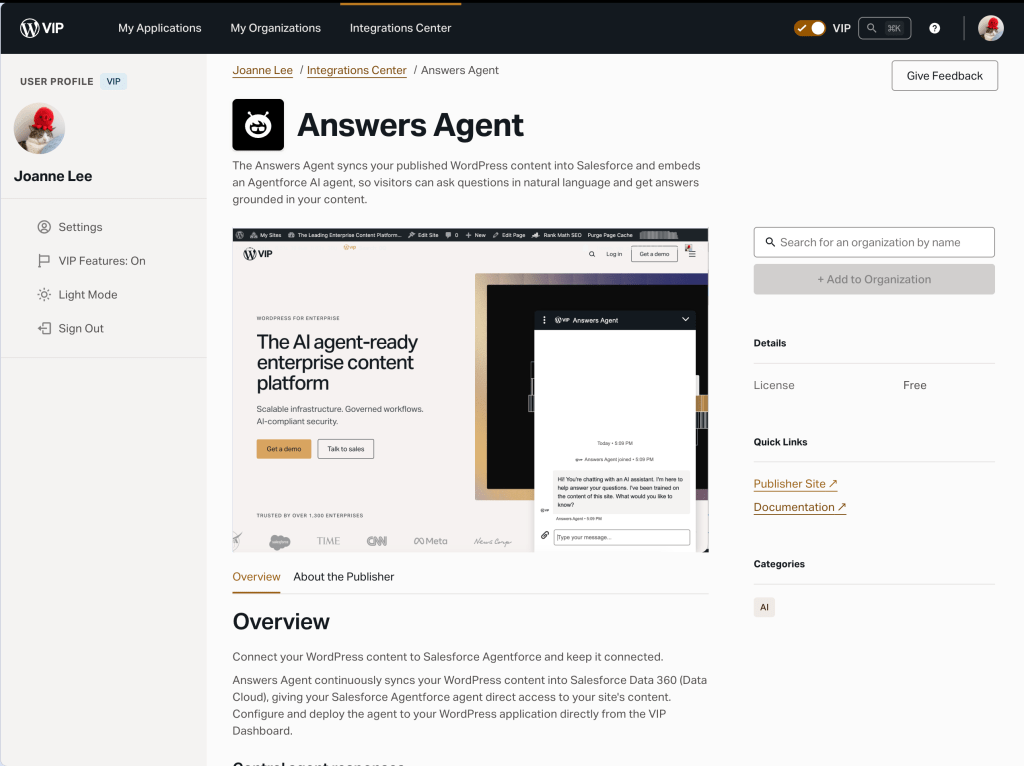
Answers Agent is now available in the Integrations Center to WordPress VIP customers with an Enhanced package or above. Powered by Salesforce Agentforce, the integration puts an AI agent on your site to answer visitor questions using your own content as the source of truth.
What is it?
Answers Agent embeds a Salesforce Agentforce agent on your WordPress VIP application, grounded in your content. Visitors ask questions in natural language and get answers straight from what your team has published, not general model knowledge about your organization. The agent is configured in your own Salesforce org, and the VIP Dashboard guides you through setup.
Why it matters
Your site holds thousands of pages, and most visitors won’t dig through them. Answers Agent puts your content to work: visitors ask a question and get an accurate, cited answer, sourced from what you’ve published.
Answers Agent programmatically handles an otherwise multi-step Salesforce data pipeline setup, configuring Data Streams, Data Model Objects, search indexes, and data retrievers, then wiring an agent to all of them.
Your content stays in your own Salesforce org instead of a third-party platform. Each answer references that content directly, not by training a model on it, and the agent only pulls from what you’ve chosen to sync.
What’s included
- A Salesforce Agentforce agent on your VIP application, grounded in the WordPress content you choose
- Turnkey setup: The Salesforce data pipeline and agent are configured programmatically, with a guided step-by-step setup in the VIP Dashboard
- Continuous sync: Publishing, updating, unpublishing, or deleting a post updates the agent automatically, so your content stays up-to-date
- Consent-aware: The agent doesn’t load until a visitor accepts your cookie banner, with support for major consent platforms
- Multi-tenancy support within a single VIP organization, with content isolated per site
Get started
Answers Agent requires an Agentforce-enabled Salesforce setup. Learn more in our documentation and contact your Relationship Manager to talk through what it means for your site.