

Enforcement Starts October 1
WordPress Security Controls brings platform-level security management to the VIP Dashboard, combining baseline protections, flexible configuration, and clear visibility for centralized control of your WordPress environment’s security posture.
This feature will be enabled on all WordPress environments starting October 1, 2025. Ensure compatibility with your environment by enabling or disabling the feature in the VIP Dashboard. More information in the Feature Rollout, Testing, and Enforcement section below.
What’s New
As previously announced, the feature introduces a unified security management experience in the VIP Dashboard “WordPress Security Controls” page. You can find the page under “Security Controls”, then “WordPress” from the navigation menu.
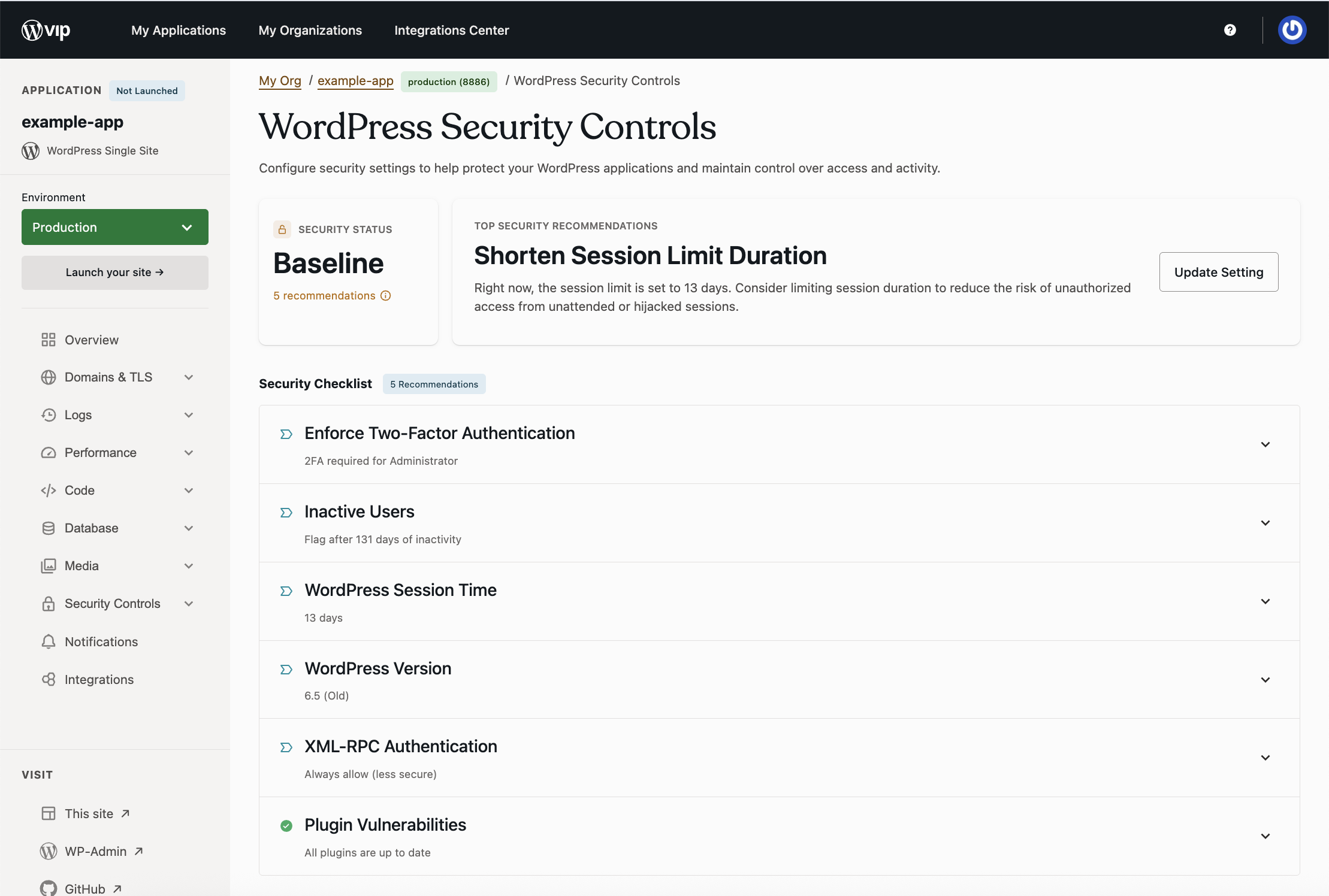
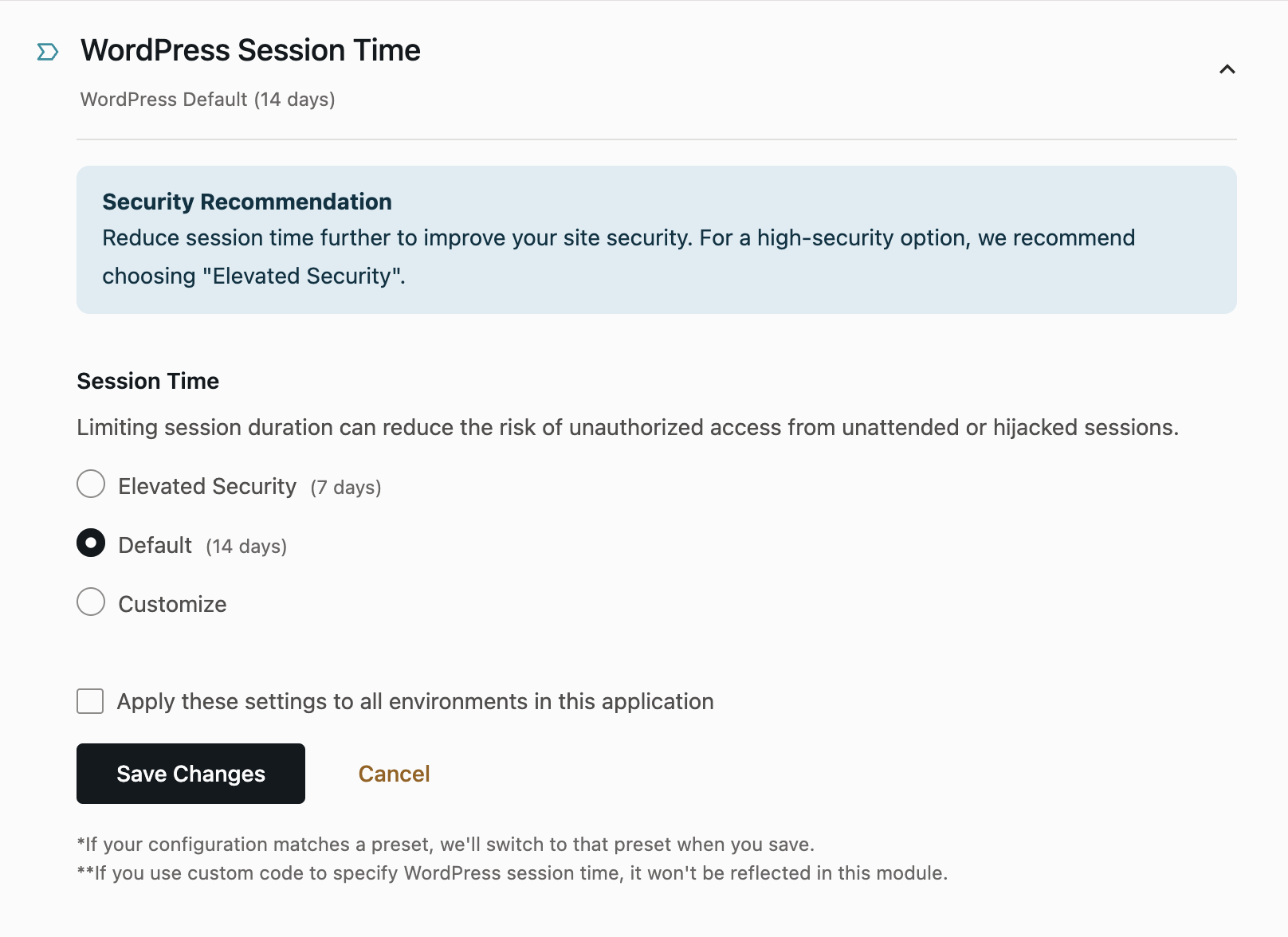
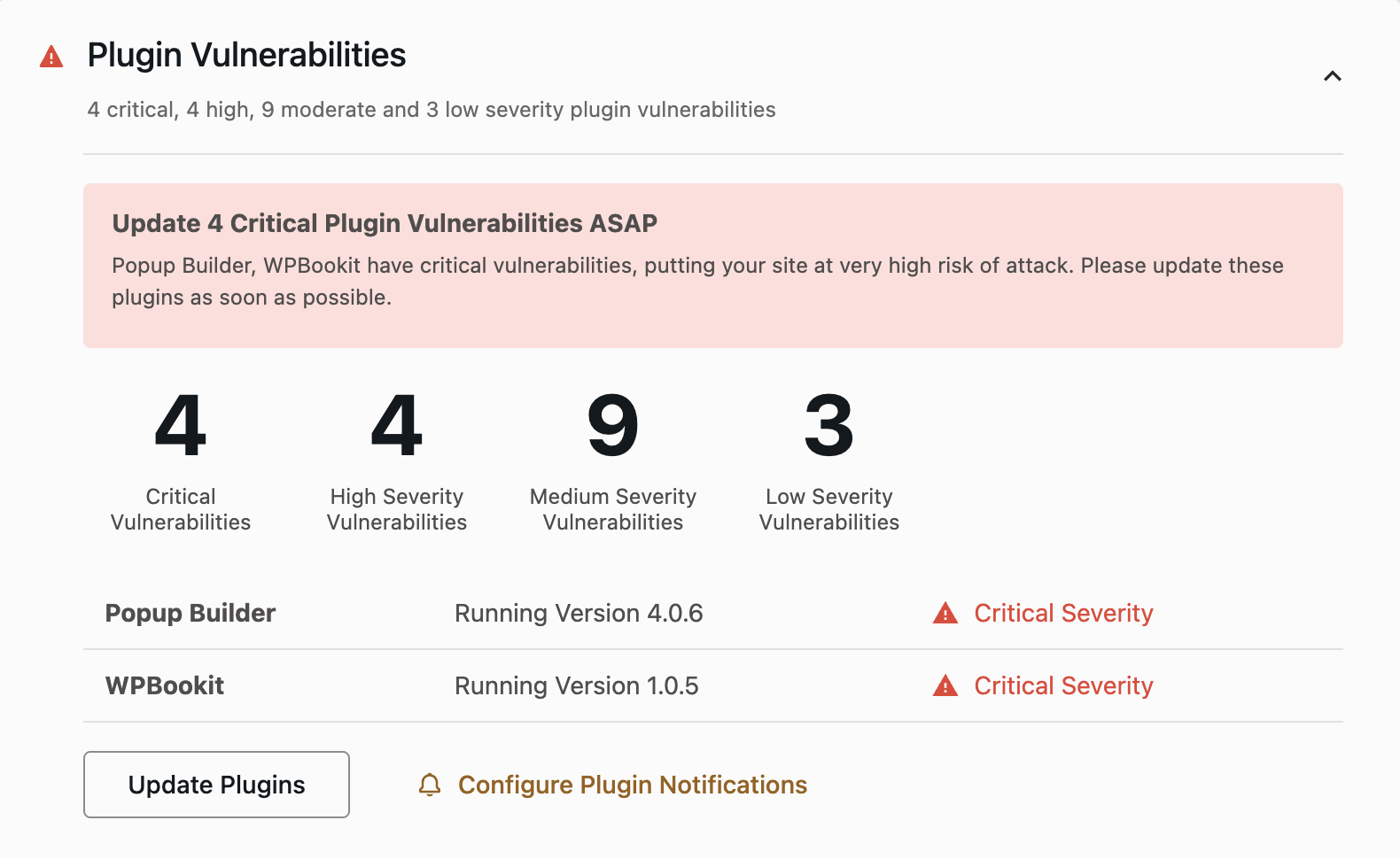
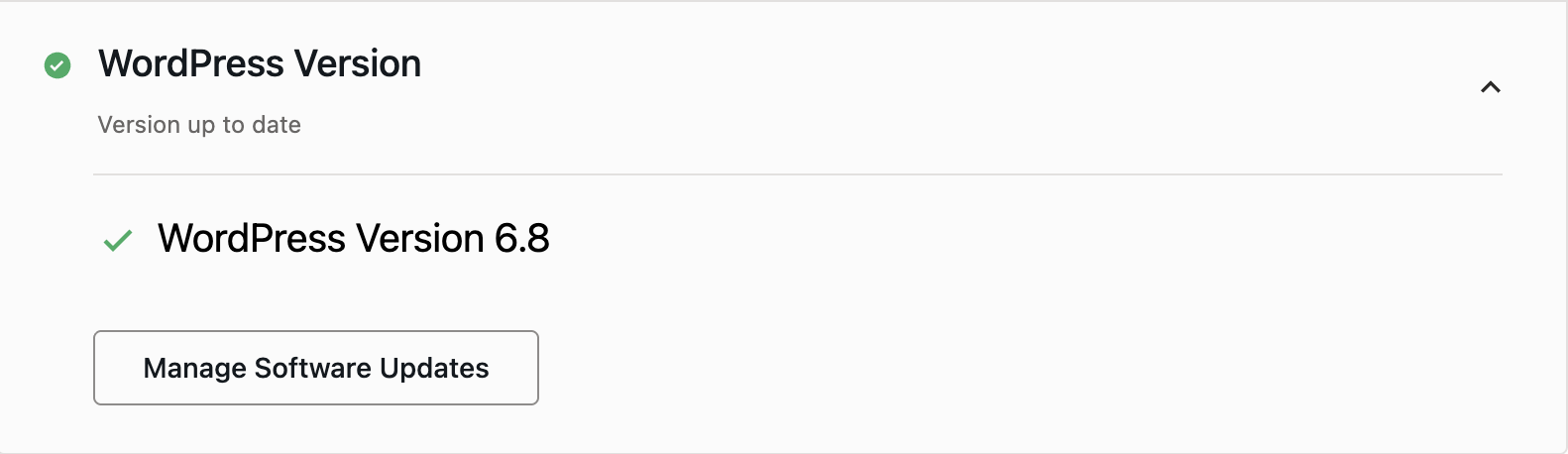
- Security Status & Checklist: Get an overview of your environment’s security status (Vulnerable, Baseline, Good, or Excellent) with recommendations for improvement.
- Configurable Security Modules: Customize security settings to meet your organizational needs. Apply settings chosen on the production environment to all child environments if desired. For multisites, security settings are applied network-wide.
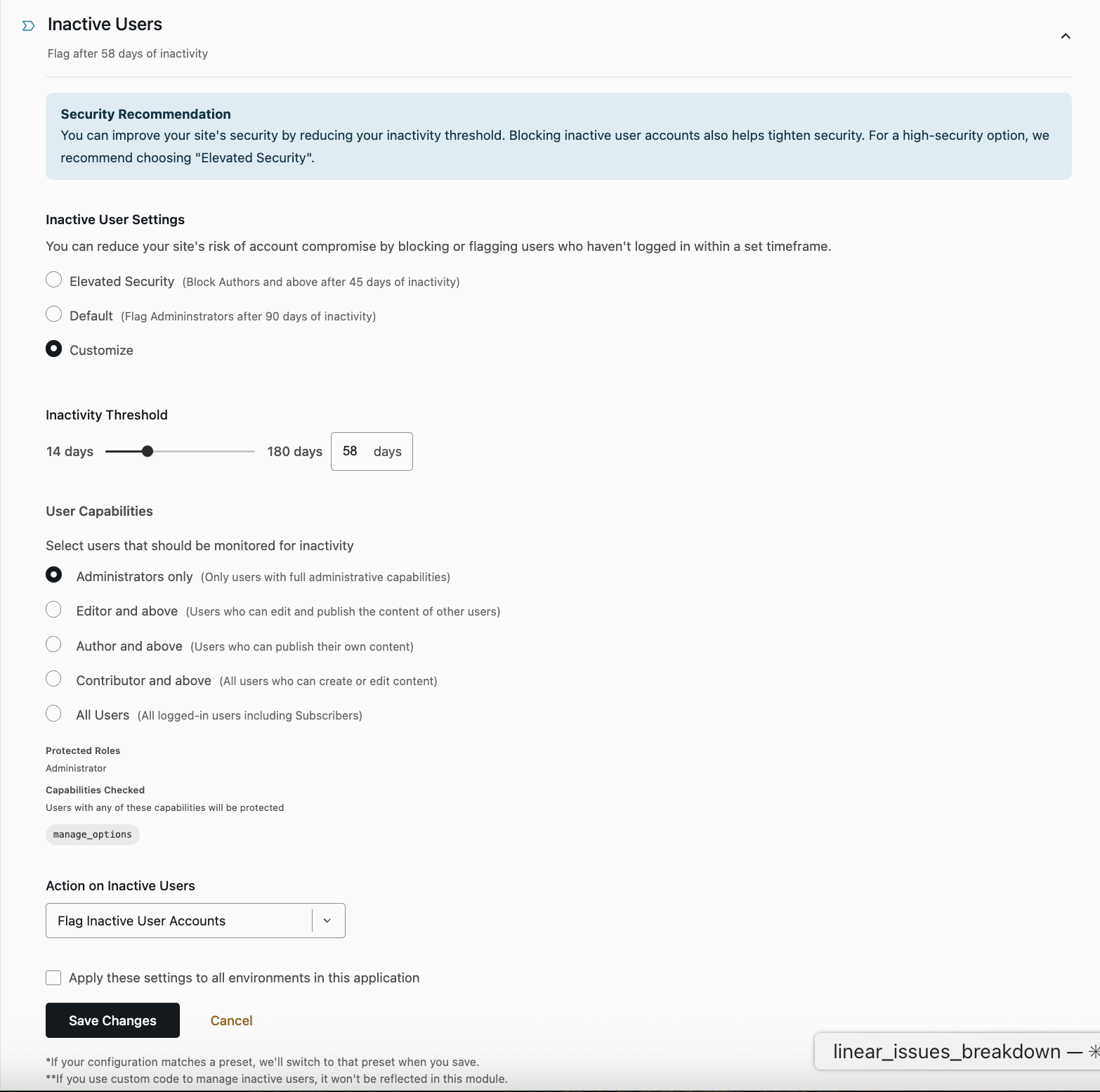
- Inactive Users: Automatically flag or block inactive user accounts based on custom thresholds.
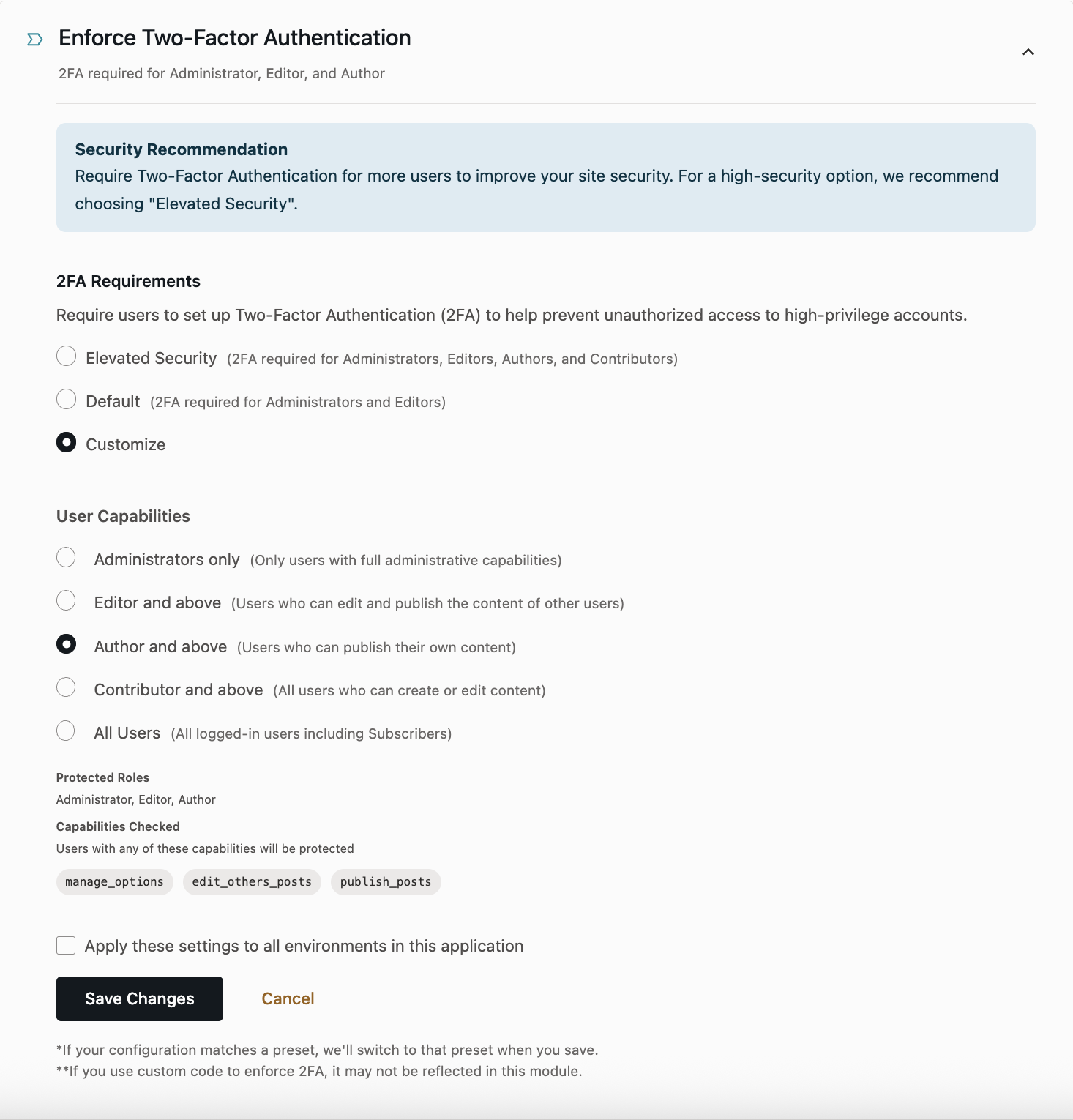
- Enforce Two-Factor Authentication: Require 2FA for WordPress users based on access level.
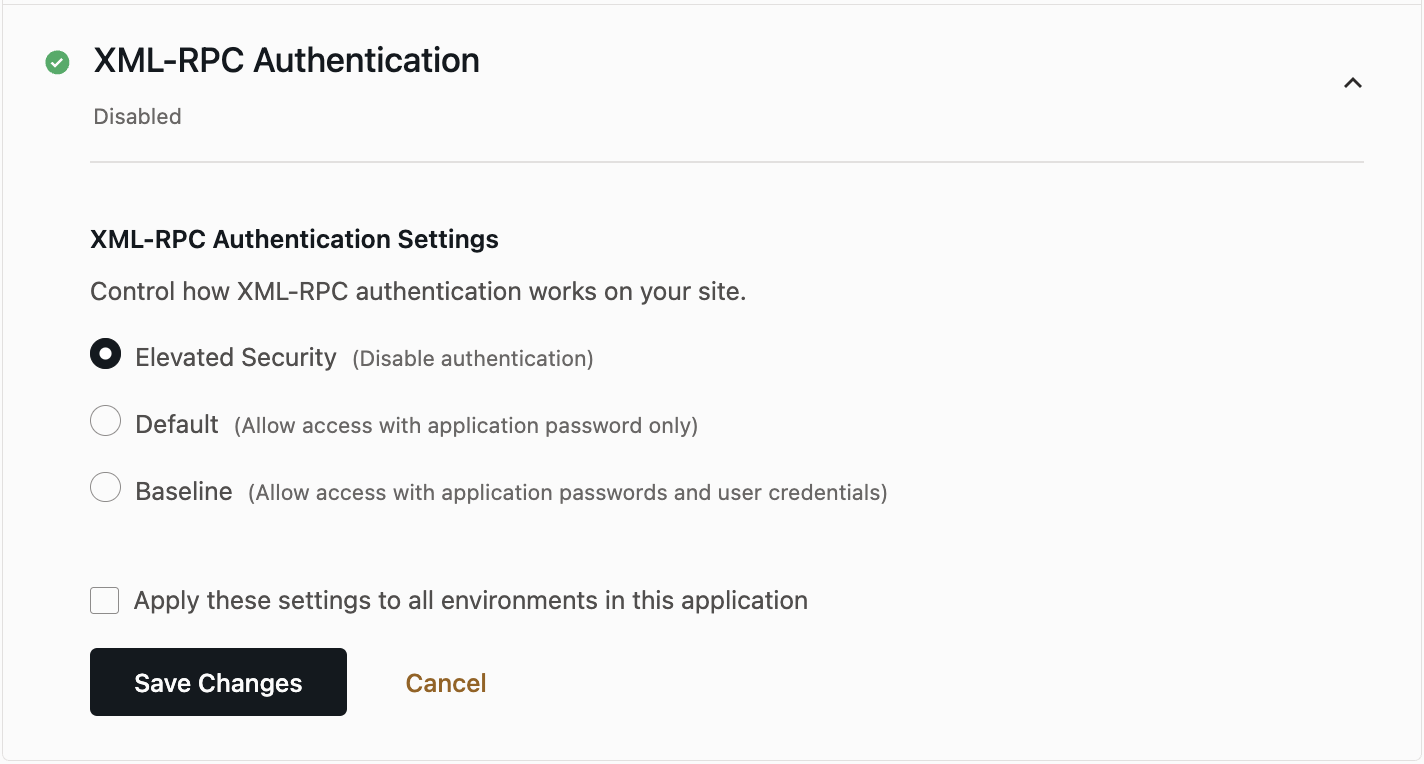
- XML-RPC Authentication: Choose how XML-RPC is secured without disrupting the Jetpack connection.
- WordPress Session Time: Set custom session timeout durations (1-13 days).
- Informational Modules: See your existing security signals, like plugin vulnerabilities and WordPress version, in your Security Checklist.
WordPress Admin Enhancements

- Highlight 2FA Users: Quickly identify how many Administrator and Editor roles do not have Two-Factor Authentication enabled and filter to view them.
- Privileged User Email Notifications: Get notified when a new Administrator or Super Admin is added, or when an existing user is promoted to these roles.
- Users page interface update:
- Last seen: View the timestamp or relative time of a user’s most recent activity in the new “Last seen” column.
- Filterable “Role” column: Group users with the same role to make it easier to identify and manage users with the same access level across the full user list.
- Inactive Users: Identify inactive users by a yellow “Inactive User” badge, or a red “Blocked: Inactivity” badge for users configured to be blocked on inactivity. Hover over the user row to unblock the user, and use the “Blocked Users” filter to view all users blocked due to inactivity.
Feature Rollout, Testing, and Enforcement

Availability:
- New environments: Enabled by default starting Wednesday, August 20, 2025.
- Existing non‑production: Enabled by default in a staged rollout starting August 20, 2025.
- Existing production: No automatic change; enable the feature at any time to test compatibility.
If you participated in the beta testing of this feature, your existing configurations will remain unchanged.
Test compatibility now through Tuesday, September 30, 2025
Enable or disable the feature per environment or per security setting to ensure compatibility with custom code. Toggles are available in the VIP Dashboard for all WordPress environments.
Enforcement begins Wednesday, October 1, 2025
We’ll gradually enable the feature across all WordPress environments starting October 1. Any production or non-production environment with the feature disabled will be automatically updated with default settings; if you’ve already enabled it, your configured security settings will be preserved.
After this date, the feature cannot be disabled. If you anticipate needing additional time, please contact Support or your TAM or RM before enforcement.
Custom Code Overrides
WordPress Security Controls is the primary, recommended way to manage security. We strongly encourage moving any code-based logic to the managed settings in the WordPress Security Controls feature on the VIP Dashboard.
By default, our controls will take precedence unless you explicitly override them. Where feasible, we honor environment-level customizations; however, outcomes may vary based on the hooks you use and their load order. We’ve outlined how to override some security settings directly within its respective page in our public documentation. The underlying logic for the WordPress Security Controls feature is also open source and available for review in the VIP Security Boost GitHub repository.
If you have any questions about WordPress Security Controls and how it might affect your WordPress environment, please contact our Support Team.