

We’re excited to announce the launch of the User-Defined Metric Thresholds & Alerts feature, designed to give you more control over your site’s performance and alerting. With this powerful new tool, you can set specific thresholds for key metrics, allowing you to proactively and passively monitor your application and respond to performance changes before they impact your users. Please note that this feature is only available for Enhanced, Premier, and Signature tier customers.
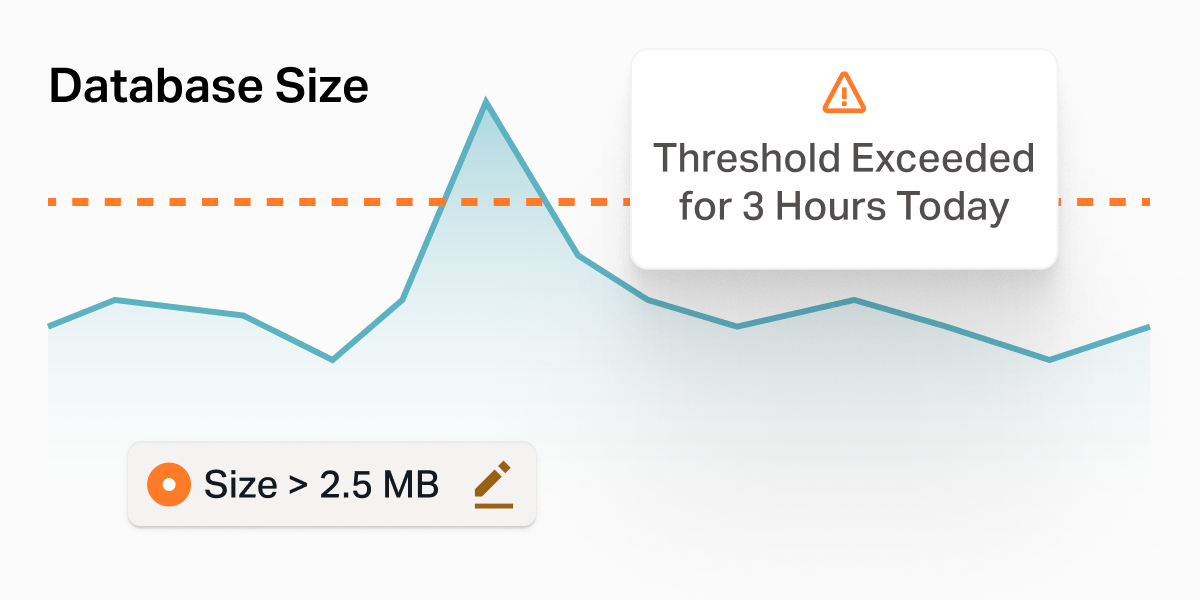
Key benefits:
- Custom Alerts: Set thresholds for metrics like traffic, load times, and resource usage, and get notified the moment your site exceeds or drops below these limits.
- Proactive Monitoring: Prevent issues from escalating by getting early warnings when performance metrics deviate from your desired levels.
- Improved Site Reliability: Quickly respond to performance concerns with automated alerts, ensuring your users have a seamless experience.
How it works:
- Define Your Thresholds: Choose the key metrics you want to monitor (such as database queries by type – Select, Insert, Update, or Delete).
- Set Alert Parameters: Specify the threshold for your selected metric. For example, you can set a limit for queries above a certain number (like 5000 queries).
- Get Notified: Enable notifications to be sent when the data crosses your defined threshold. This can help you take immediate action to prevent performance issues.
User-Defined Metric Threshold can be accessed through the Insights & Metrics section of the VIP Dashboard. Select the Metric you want to add the Thresholds to and click on “+ Add Threshold” in the lower right corner.
The User-Defined Metric Thresholds & Alerts feature is available now and ready to help you stay on top of your application’s performance with ease. For more details on how to set up thresholds for your site, check out our documentation.
We look forward to hearing your feedback and are excited to see how this new feature enhances your monitoring capabilities!