

We’re excited to introduce Traffic Boost, a new feature in Parse.ly Content Helper that intelligently places links to fresh content within your site’s highest-performing articles—helping you drive more traffic and engagement with minimal effort.
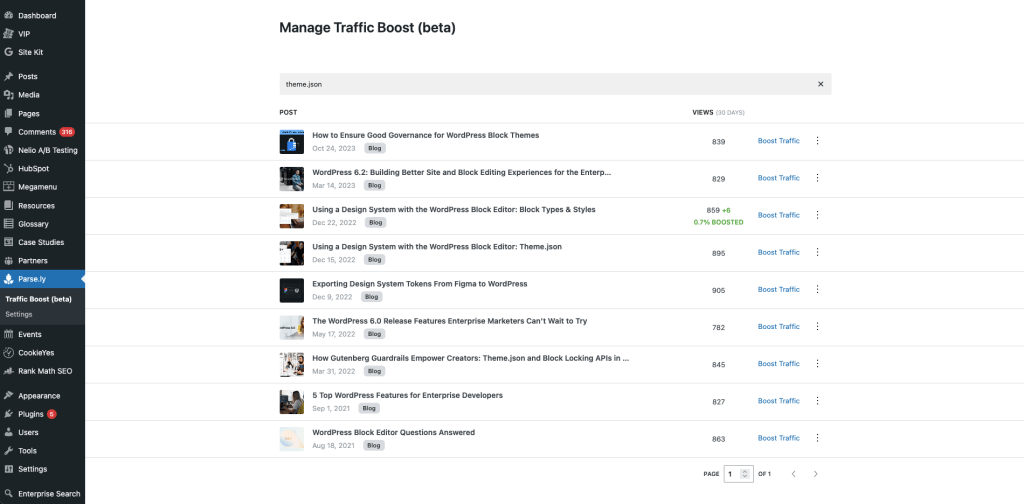
How Traffic Boost Works
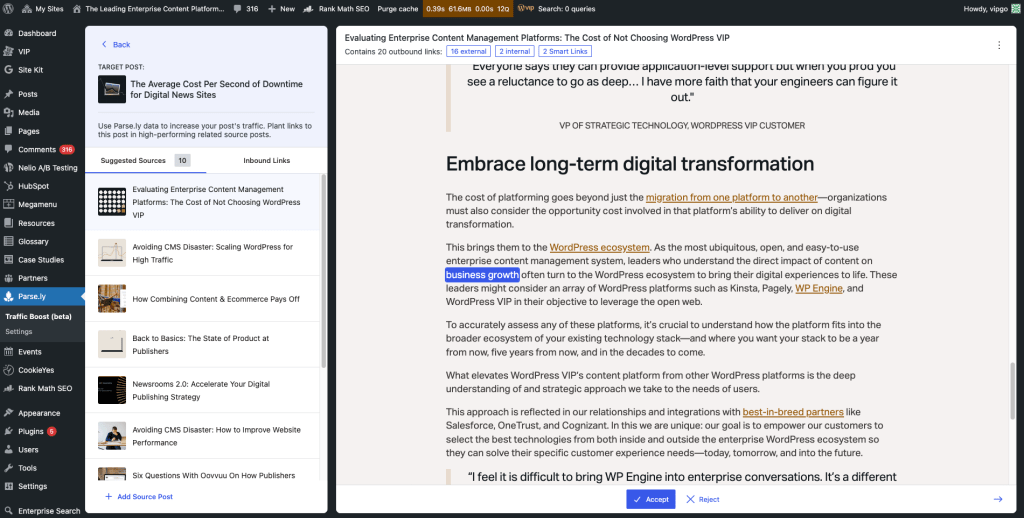
Traffic Boost increases page views and engagement by strategically placing links to key content within high-performing articles on your site. It works by analyzing your existing content to identify the best placement opportunities, ensuring that both newly published and evergreen articles benefit from increased visibility.
Here’s what makes Traffic Boost powerful:
- Automatic link placement: Inserts links to new content in relevant, high-performing articles to maximize visibility.
- Customizable link suggestions: Review and approve suggested links before they go live, ensuring they fit naturally within your content.
- Performance insights: Track how your boosted links are performing through Parse.ly’s analytics, monitoring engagement and recirculation impact.
Why This Matters for Content Teams
If you’re already using Parse.ly Content Helper, you know how valuable AI-driven recommendations can be for optimizing your content strategy. Traffic Boost takes this further by boosting your content’s promotion across your site, drawing active benefit from your best-performing posts.
Get Started with Traffic Boost
Traffic Boost is exclusively available to WordPress sites on the VIP Platform. All VIP customers with a paid Parse.ly contract—or customers with Enhanced, Signature, or Premier packages—have access to Traffic Boost.
Traffic Boost is included in version 3.19 of the wp-parsely plugins provisioned by WordPress VIP’s MU plugins. It will become available for testing in non-production VIP environments on Tuesday, May 20, 2025. Version 3.19 will be released to production as the default version of Parse.ly on Tuesday, May 27, 2025.
If you’re looking to maximize your content’s reach with smarter, automated link placement, now’s the time to try Traffic Boost.
Check out our documentation for Traffic Boost for more details on these new capabilities.