

Starting Monday, October 7, 2024, all users who sign in to the VIP Dashboard with GitHub or WordPress.com will be required to upgrade their accounts to use VIP Authentication.
As outlined in our previous post, we’ll be rolling out VIP Authentication on October 7 to all VIP Dashboard users who sign in with GitHub and WordPress.com. This post will walk you through the new features, the upgrade process, and important dates to ensure a smooth transition.
Users who sign in with Single Sign-On (SSO) will see an updated VIP Dashboard login page, but will otherwise not be affected by these changes and do not need to take any action.
What’s new
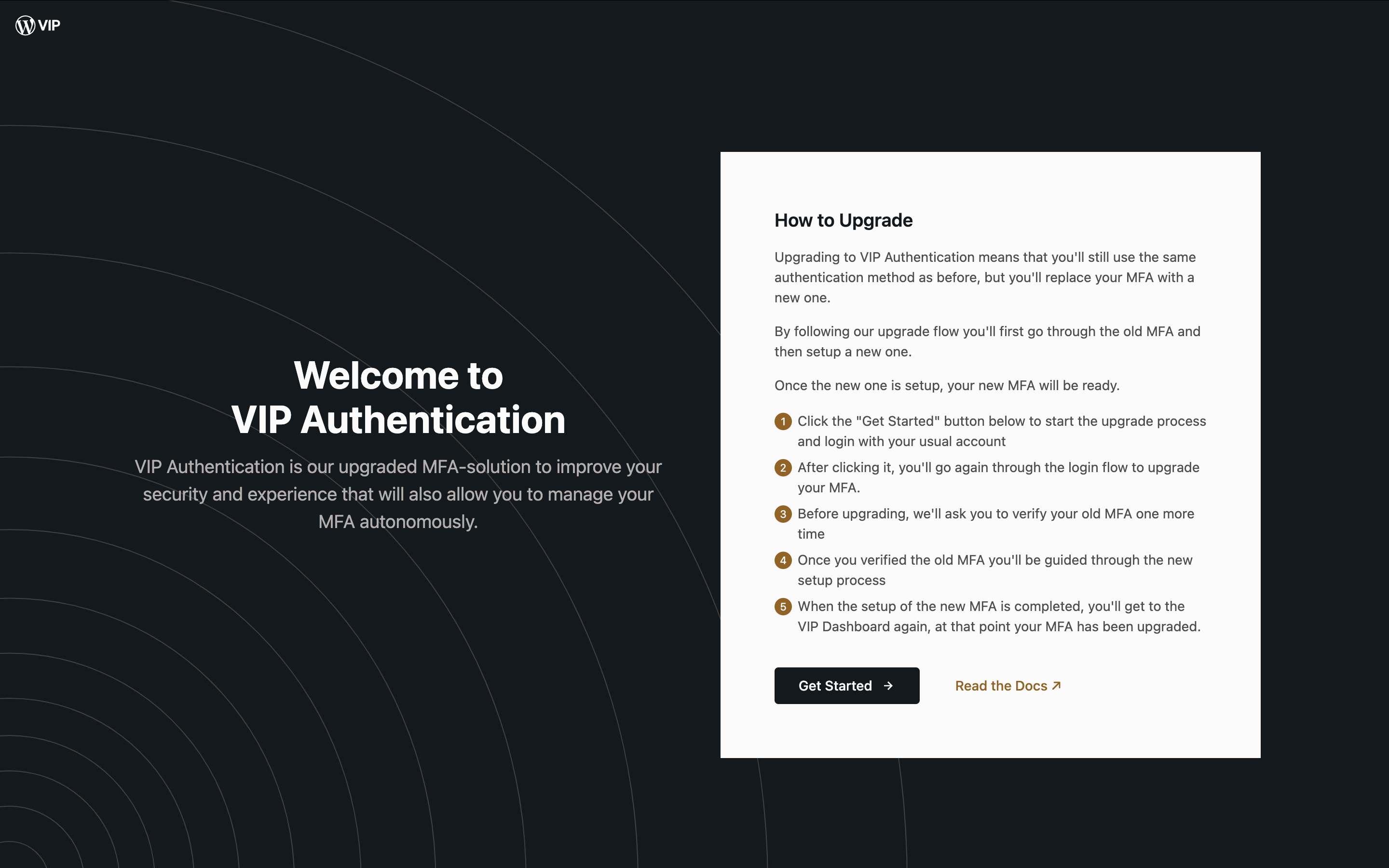
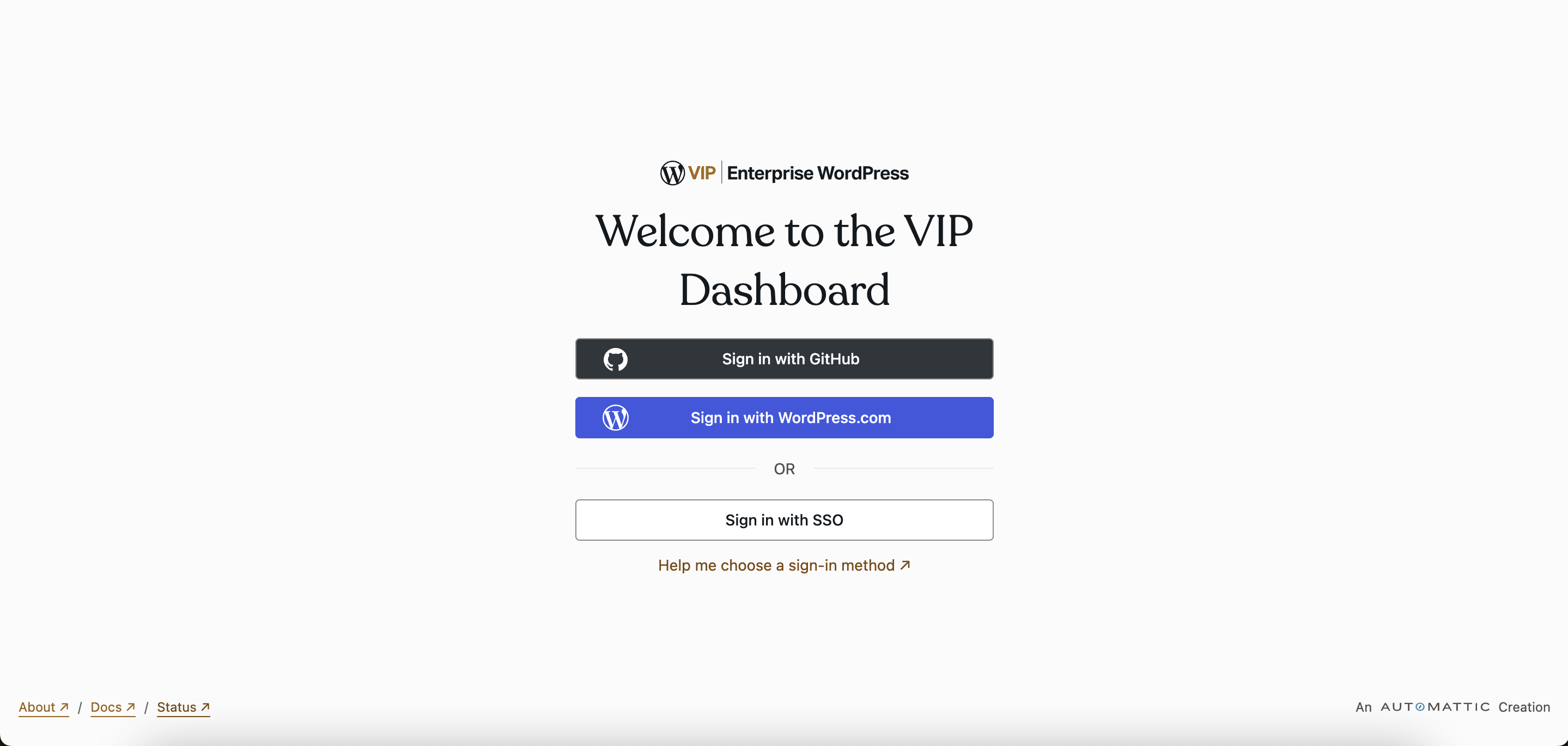
- Updated login page: We’ve simplified the VIP Dashboard login page to streamline your login experience.
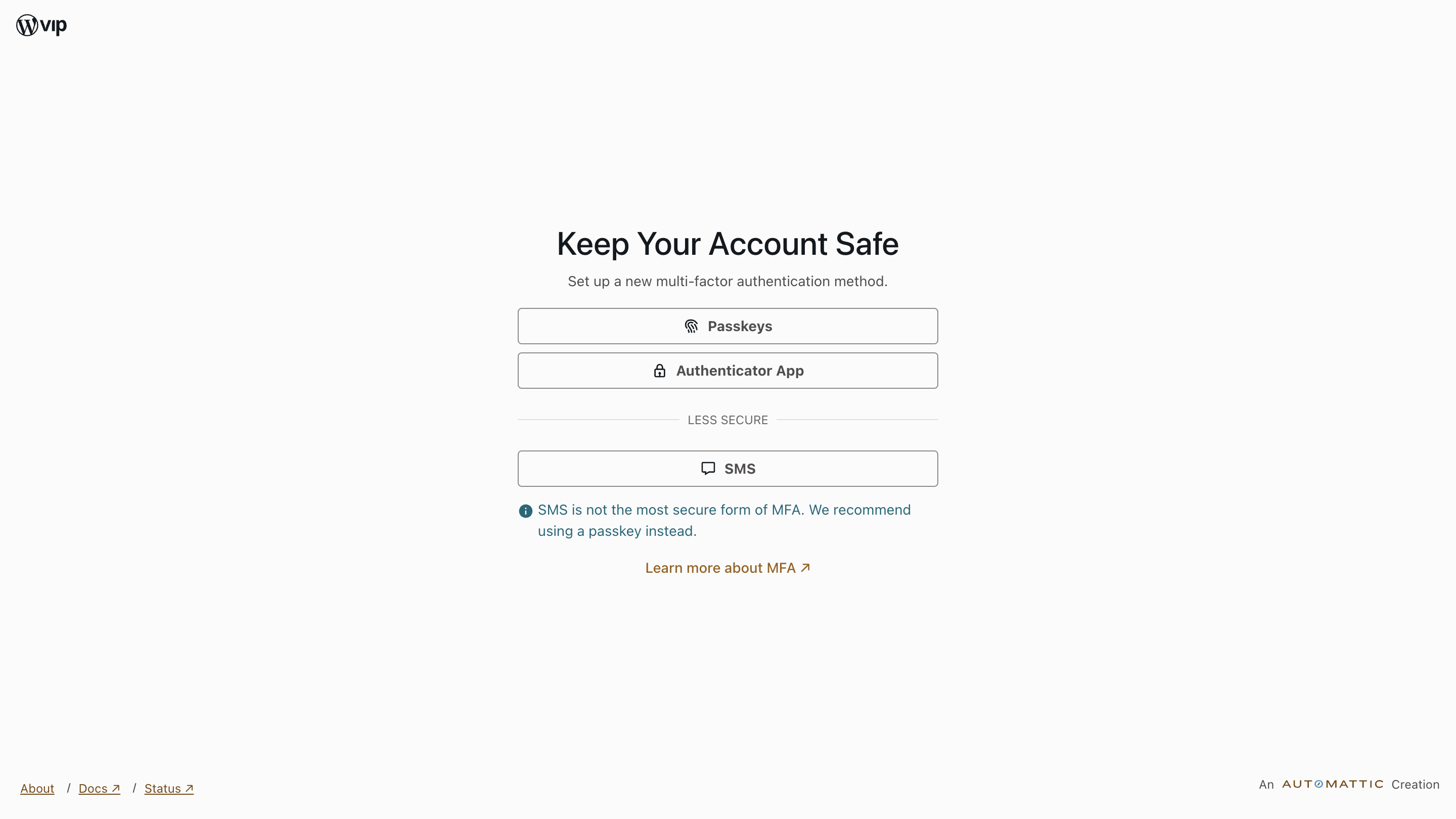
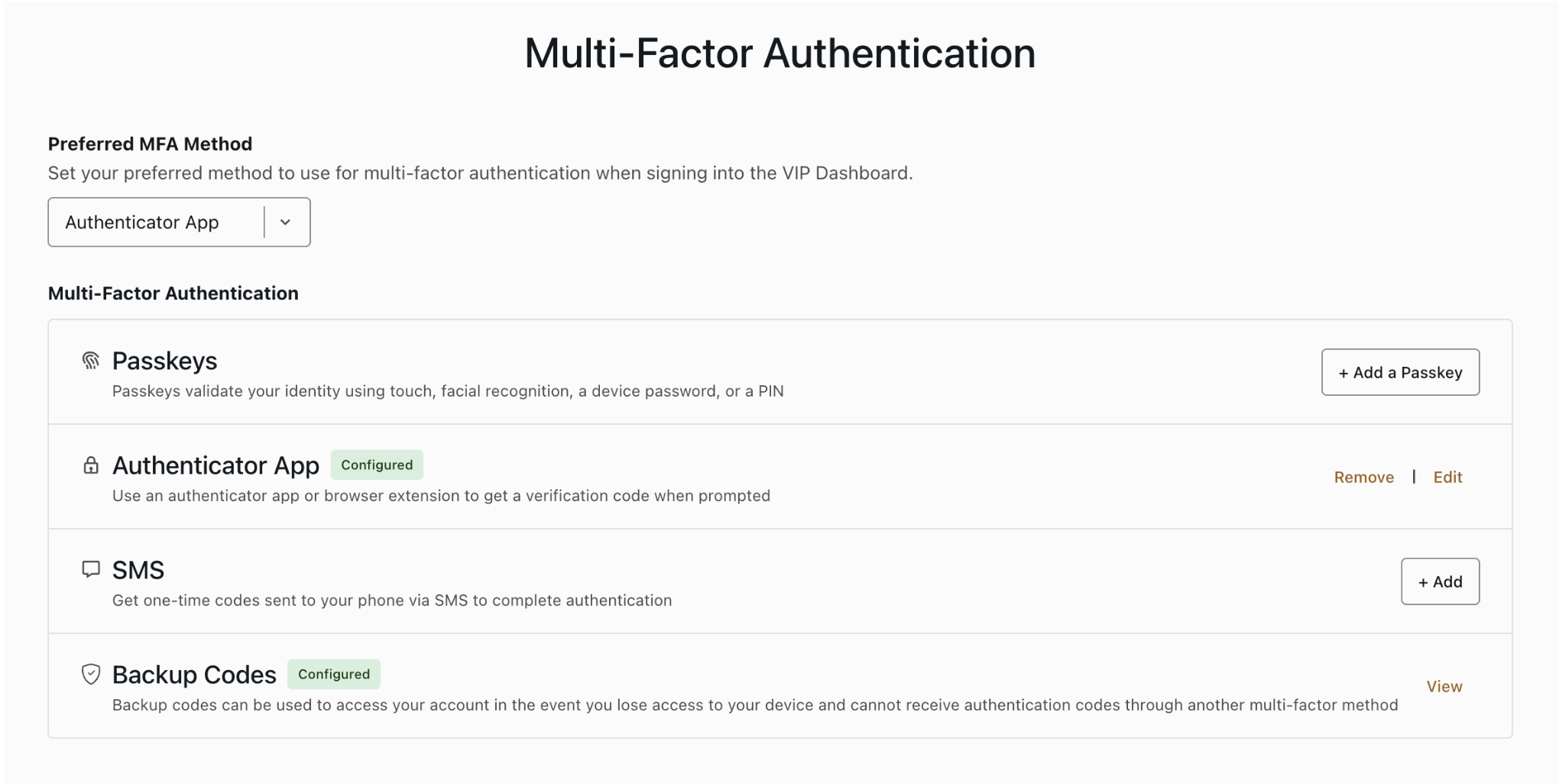
- Multiple authentication methods: VIP Authentication offers the same Multi-Factor Authentication (MFA) methods to verify your identity: passkeys, authenticator app, and SMS. Additionally, we require you to set up backup codes alongside your primary MFA method as an alternative verification option.
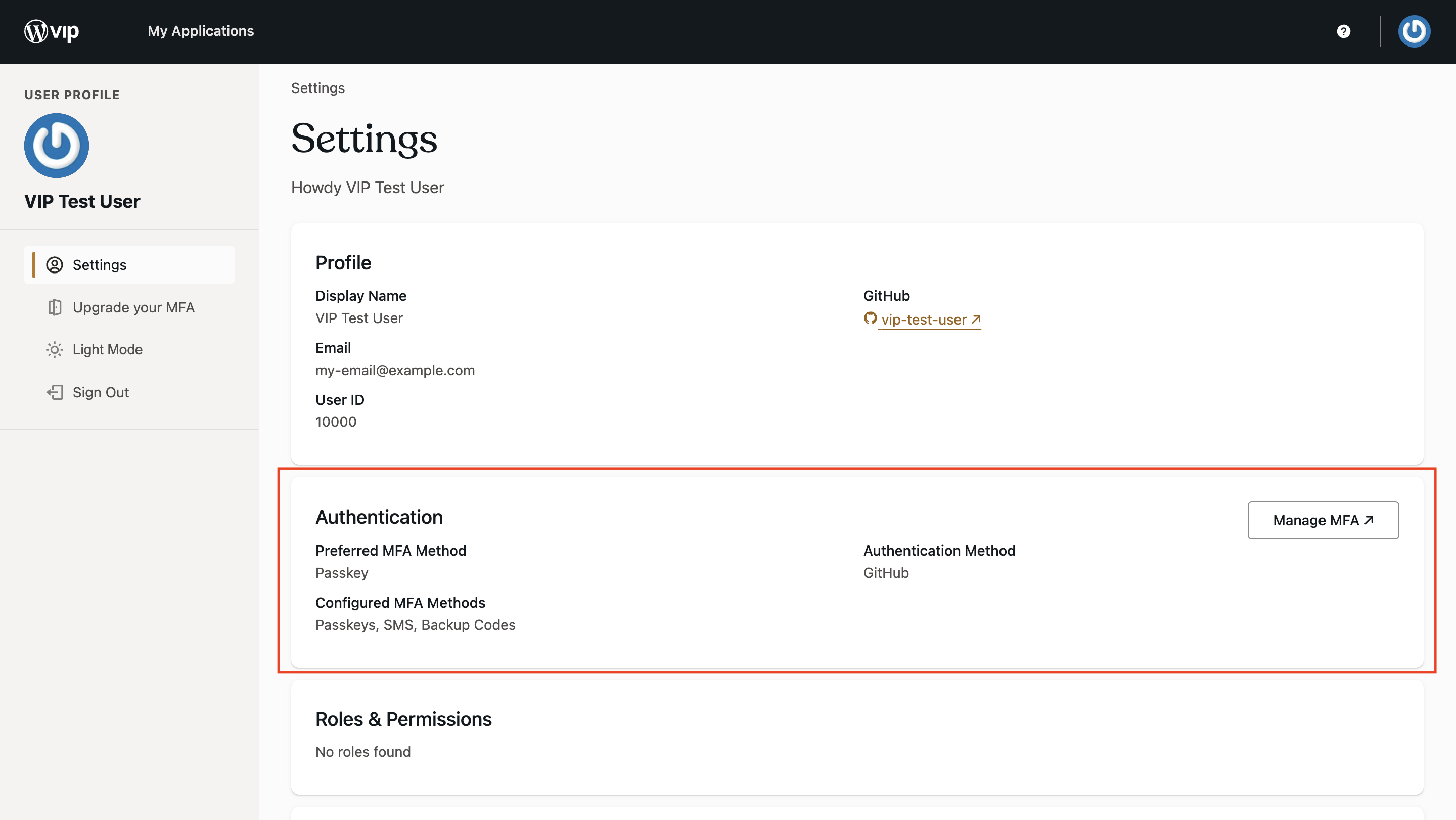
- MFA Management tool: Our new MFA Management tool gives you full control over your account’s security directly from the VIP Dashboard. Add additional MFA methods as a secure alternative to your primary method, edit or remove existing methods, regenerate backup codes, and set your preferred MFA method—all from one place.
- Email alerts: Receive emails for every MFA action you take for increased visibility and security around your account. Emails are sent from
noreply@wpvip.comto the email address set in your GitHub or WordPress.com account. - Reauthentication: We’ll prompt you to verify your identity again before performing sensitive actions, like viewing the MFA Management tool, to ensure your account is always protected.
Upgrade timeline
Users who sign in with GitHub or WordPress.com will need to upgrade their VIP Dashboard accounts to use VIP Authentication. We want to make this transition as smooth as possible for all users. Here’s the timeline for the transition:
- Opt-in period: [Currently ongoing] VIP Authentication is available to a limited group of users for feedback.
- Mandatory upgrade: [Monday, October 7, 2024] All users will be required to upgrade to VIP Authentication.
We expect all users to have upgraded by February 2025, when legacy authentication methods will be deprecated. Users who haven’t upgraded will lose permissions to their VIP Dashboard account and will need to reach out to their Org Admin to reinstate permissions.
How to upgrade
Starting Monday, October 7, 2024, all users who sign in with GitHub and WordPress.com will be required to upgrade their VIP Dashboard accounts to VIP Authentication. Upgrading to the new system is simple. Here’s how:
If you’re already logged in to the VIP Dashboard
- While logged in to the VIP Dashboard, you will see a VIP Authentication banner at the top of your screen. Click on “Upgrade Now”
- Alternatively, access the Settings page by clicking on your profile picture on the top right, and selecting “Settings”. Click on “Upgrade your MFA” in the left sidebar.
- In the next screen, you will see more information about VIP Authentication. Click on “Get Started” to continue.
- You may be prompted by WordPress.com or GitHub to authorize the VIP Dashboard access to your account information.
- Once authorized, verify your identity using your current VIP Cloud multi-factor authentication (MFA) method.
- You will land in the new VIP Authentication setup screen. Select either a Passkey, an Authenticator app, or SMS as your new authentication method to set up.
- After the setup, make sure to save your backup codes in a safe place.
- And that’s it! Once VIP Authentication is set up, you can add or edit authentication methods directly from the VIP Dashboard Settings page.
If you’re logged out of the VIP Dashboard
- Visit dashboard.wpvip.com/opt-in to start the upgrade process.
- Log in to the VIP Dashboard using WordPress.com or GitHub as you normally would.
- You will be prompted by WordPress.com or GitHub to authorize the VIP Dashboard access to your account information.
- Once authorized, verify your identity using your current VIP Cloud multi-factor authentication (MFA) method.
- You will then land in the new VIP Authentication setup screen. Select either a Passkey, an Authenticator app, or SMS as your new authentication method to set up.
- After the setup, make sure to save your backup codes in a safe place.
- And that’s it! Once VIP Authentication is set up, you can add or edit authentication methods directly from the VIP Dashboard Settings page.
FAQs
Q: What if I don’t want to upgrade right now?
A: Starting October 7, 2024, upgrading your account will be required for all users who sign in with GitHub and WordPress.com. You won’t be able to bypass this update, and we recommend upgrading as soon as possible to avoid any disruptions and to take full advantage of the security enhancements and new features. Once you’ve upgraded, logging in will feel almost the same as before, with the added benefits of the new system working seamlessly behind the scenes.
Users that are logged out of the VIP Dashboard will be taken through the upgrade process upon log in. If you’re currently logged in to the VIP Dashboard, you can start the upgrade process by clicking on the “Upgrade now” banner that will be displayed starting October 7th.
Q: Can I rollback the upgrade if I run into issues?
A: No, rollbacks won’t be available. In the unlikely event you run into issues, please contact us, and we’ll be happy to help.
Q: What happens if I don’t upgrade in time?
A: Permissions for your VIP Dashboard user account will be revoked, and you will not be able to view any applications or organizations you previously had access to. You will have to reach out to your Org Admin to reinstate your permissions. You will need to set up MFA on VIP Authentication once your permissions are reinstated.
Q: Why do I need to do this?
A: Security is at the core of WordPress VIP. We’re increasing security measures to provide stronger protection for your account, expanding authentication options for redundancy and resilience, increasing visibility into your account actions, and adding an additional layer of security for sensitive actions.
We’re providing tools to help you have more control over your MFA methods, along with an improved UI to make logging into the VIP Dashboard both safer and more intuitive at the same time.
Q: I use SSO to sign in. Do I need to upgrade as well?
A: No, users who sign in with Single Sign-On (SSO) are not affected by these changes and do not need to upgrade their accounts. However, the VIP Dashboard login page will be updated for all users, including those using SSO.
If you are an Org Admin user signing in with SSO, you will still receive communications about changes that may affect other users in your organization.
Q: What are passkeys, and should I use them?
A: Passkeys are a secure and convenient Multi-Factor Authentication (MFA) method. They allow you to authenticate by using devices like YubiKeys, your phone, or other options supported by your browser. We encourage you to try them for a smoother and quicker authentication experience!
Q: Can I add more than one MFA method?
A: Yes! You can add multiple MFA methods through the MFA Management tool. We encourage you to add additional MFA methods in case you lose access to your primary method.